在物理世界中,让子弹的刚体受到一个冲量,就可以简单的实现子弹的飞行。
Body.AddForce(Direction * Froce , ForceMode.Impulse);
而ForceMode.Impulse:此种方式采用瞬间力作用方式,即把t的值默认为1,不再采用系统的帧频间隔,即
f•1.0=m•v
那么v=f/m
如果射击的物体是移动的,那刚体的初速度则为射击物体的速度。
故v=v0+f/m
最近遇到一个需求,已知初速度和冲量,要绘制出子弹的轨迹。
如下图效果:
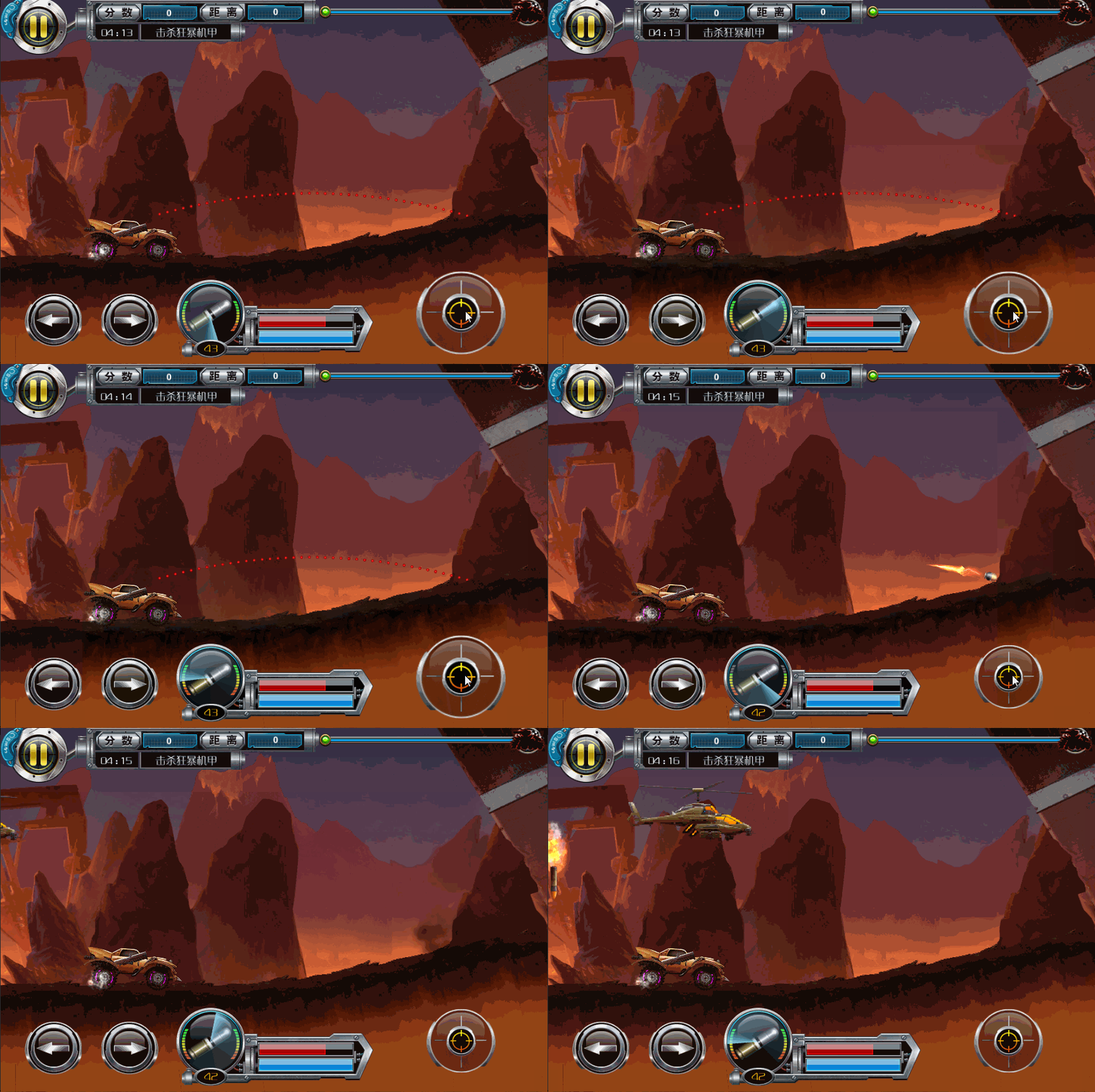
考虑把它分成x轴和y轴的运动。
即,在x轴上匀速运行,在y轴方向上加速运动。
using UnityEngine;
using System.Collections;
using System.Collections.Generic;

public class DrawBulletPath : MonoBehaviour
{
    //用于显示的点
    public GameObject point;
    //最初冲量
    [HideInInspector]
    public Vector3 Forces;

    //点的数量
    public int PointCount = 60;
    //绘制点的时间间距
    public float Interval = 0.02f;

    //是否可以绘制
    private bool _drawEnabled;
    private List<GameObject> pointList = new List<GameObject>();
    //显示点的数量(由于与地形碰撞,所以有些点不显示)
    public int ShowCount = 0;
    //子弹的重量
    public float Mass = 1.0f;
    public bool DrawEnabled
    {
        get
        {
            return _drawEnabled;
        }
        set
        {
            if(value != _drawEnabled)
            {
                if (!value)
                    Clean();
                else
                    ShowCount = PointCount;
            }

            _drawEnabled = value;
        }
    }

    void Start()
    {
        transform.DestroyChildren();
        for (int i = 0; i < PointCount; i++)
        {
            var go = Instantiate(point) as GameObject;
            go.transform.parent = transform;
            var pathPoint = go.GetComponent<PathPoint>();
            pathPoint.ResetState();
            pathPoint.Index = i;
            pathPoint.dbp = this;
            pointList.Add(go);
        }
        DrawEnabled = false;
        ShowCount = PointCount;
    }

    //绘制路径
    void CreateLine()
    {
        float t = 0.0f;
        for (int i = 0; i < PointCount; i++)
        {
            var go = pointList[i];
            float posx = Forces.x / Mass * t;
            float posy = Forces.y * t / Mass + Physics.gravity.y * t * t / 2;

            go.transform.localPosition = new Vector3(posx, posy, 0);
            var pathPoint = go.GetComponent<PathPoint>();
            if (i < ShowCount)
                pathPoint.Show();
            else
                pathPoint.Hide();
            t += Interval;
        }
    }
    void Awake()
    {
        BattleFieldManager.GetInstance().DBP = this;
    }

    public void Update()
    {
        if (!_drawEnabled)
            return;

        if (Forces != Vector3.zero)
        {
            CreateLine();
            CheckCollider();
        }
    }

    List<int> ColliderList = new List<int>();
    void CheckCollider()
    {
        for (int i = 0; i < PointCount; i++)
        {
            var point = pointList[i].GetComponent<PathPoint>();
            if (point.ColliderTerrian)
                ColliderList.Add(i);
        }

        //用于淘汰掉与地形碰撞的
        if (ColliderList.Count > 0)
        {
            ColliderList.Sort();
            ShowCount = ColliderList[0];
            ColliderList.Clear();
        }

    }

    public void Clean()
    {
        for (int i = 0; i < PointCount; i++)
        {
            pointList[i].GetComponent<PathPoint>().ResetState();
        }
    }
}
