前言
在项目开发过程中,有时候会建一些文件夹,用来定义文件的结构。
建完文件夹并不一定就会马上放入文件。
比法说我经常会在文件夹Resources放一下Datas目录,用来存放策划提供的数据。
当文件夹Datas还没放入东西的时候,我就无法把目录上传到Git上。
这样策划也就看不到这个目录。
现在的主流做法是在空文件夹里放置一个.gitignore文件在里面比较实用,也不会觉得突兀。
这样一个一个文件夹拷贝太麻烦了,因此写了这个小工具。
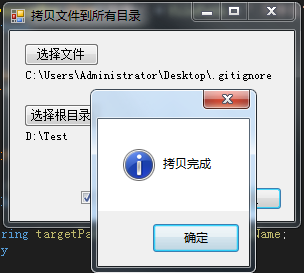
界面
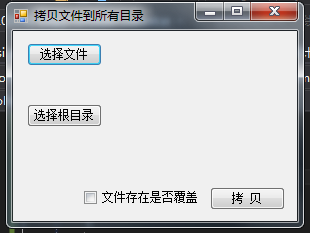
操作方式,选择文件,选择根目录,点击拷贝即可
源码
源码比较简单
点击选择文件事件:
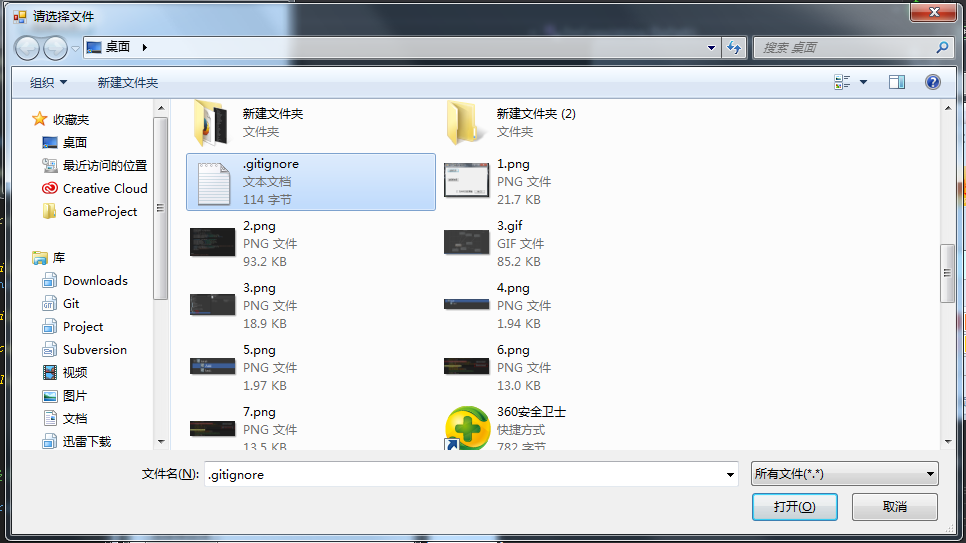
private void buttonFile_Click(object sender, EventArgs e)
{
    OpenFileDialog fileDialog = new OpenFileDialog();
    fileDialog.Multiselect = true;
    fileDialog.Title = "请选择文件";
    fileDialog.Filter = "所有文件(*.*)|*.*";
    if (fileDialog.ShowDialog() == DialogResult.OK)
    {
        string file = fileDialog.FileName;
        labelFile.Text = file;
    }
}
点击选择根目录
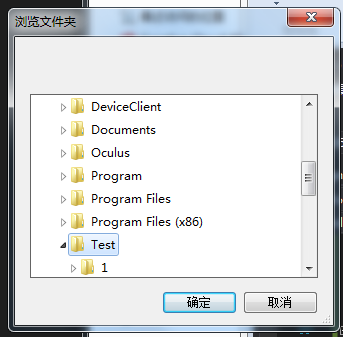
private void buttonFolder_Click(object sender, EventArgs e)
{
    FolderBrowserDialog folderBrowserDialog = new FolderBrowserDialog();
    folderBrowserDialog.ShowNewFolderButton = false;
    if (folderBrowserDialog.ShowDialog() == DialogResult.OK)
    {
        labelFolder.Text = folderBrowserDialog.SelectedPath;
    }
}
执行拷贝
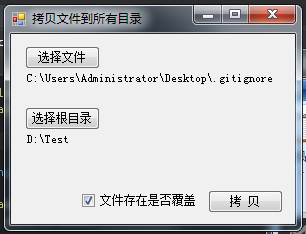
private void buttonDo_Click(object sender, EventArgs e)
{
    string folder = labelFolder.Text;
    if (string.IsNullOrEmpty(folder) || !Directory.Exists(folder))
    {
        MessageBox.Show("目录 " + folder + " 不存在", "", MessageBoxButtons.OK, MessageBoxIcon.Information);
        return;
    }

    string filePath = labelFile.Text;
    if (string.IsNullOrEmpty(filePath) || !File.Exists(filePath))
    {
        MessageBox.Show("文件 " + filePath + " 不存在", "", MessageBoxButtons.OK, MessageBoxIcon.Information);
        return;
    }

    DoGetDirs(folder);
    DoCopy(filePath);
}

void DoCopy(string filePath)
{
    string fileName = Path.GetFileName(filePath);
    foreach (var path in dirs)
    {
        string targetPath = path + "\\" + fileName;
        try
        {
            if (File.Exists(targetPath) && !isRewrite.Checked)
                throw new Exception("文件已经存在:" + targetPath);
            else
                File.Copy(filePath, targetPath, isRewrite.Checked);
        }
        catch (Exception e)
        {
            Console.WriteLine(e.Message);
        }
    }
    MessageBox.Show("拷贝完成", "", MessageBoxButtons.OK, MessageBoxIcon.Information);
}
其中获取文件的所有文件夹
//获取所有文件夹及子文件夹
void DoGetDirs(string dirPath)
{
    dirs.Clear();
    dirs.Add(dirPath);
    GetDirs(dirPath);
}

private void GetDirs(string dirPath)
{
    if (Directory.GetDirectories(dirPath).Length > 0)
    {
        foreach (string path in Directory.GetDirectories(dirPath))
        {
            dirs.Add(path);
            GetDirs(path);
        }
    }
}
下载地址:

